Searching for a downloadable KassaBet app in the Apple App Store or Google Play Store leads to empty results or third-party clone software. The casino does not offer a native binary file (.apk or .ipa) to install on your phone. Instead, the entire platform runs through a browser-based KassaBet web app built on HTML5 technology. You access all 3,000+ slots, the 180+ live dealer tables, and the cashier directly through Safari or Chrome. This approach saves storage space on your smartphone and removes the need for manual software updates. Just like on the desktop version, claiming a bonus on your phone never requires typing a promo code. You activate every promotion, from the 100% welcome match up to €750 down to the weekly reloads, by ticking the opt-in checkbox inside the mobile cashier before confirming your deposit.
KassaBet app: pin to your home screen
Turning the mobile website into a shortcut on your phone gives you single-tap access to your account without opening a browser tab first. Once pinned, the KassaBet mobile interface launches in full-screen mode, hiding the address bar and navigation buttons to maximize space for vertical slot reels and live roulette streams. The dark background with neon green and cyan accents loads quickly over standard 4G or 5G connections because your browser caches the heavy visual graphics after the first visit.
Setting up this shortcut takes less than thirty seconds and requires almost no internal device storage. You get the exact same account functions as desktop users, including biometric login support via Face ID or fingerprint sensors stored in your mobile browser. Below is the exact setup path and technical overview for both major mobile operating systems.
| Device / Platform | Browser Required | Installation Steps | Storage Used | Biometric Login | Full Catalog (3,000+ Games) |
|---|---|---|---|---|---|
| iPhone & iPad (iOS) | Safari | Tap Share icon → Scroll down → Tap “Add to Home Screen” → Tap “Add” | Under 1 MB (Cache only) | Face ID / Touch ID via iCloud Keychain | Yes, including 180+ live tables |
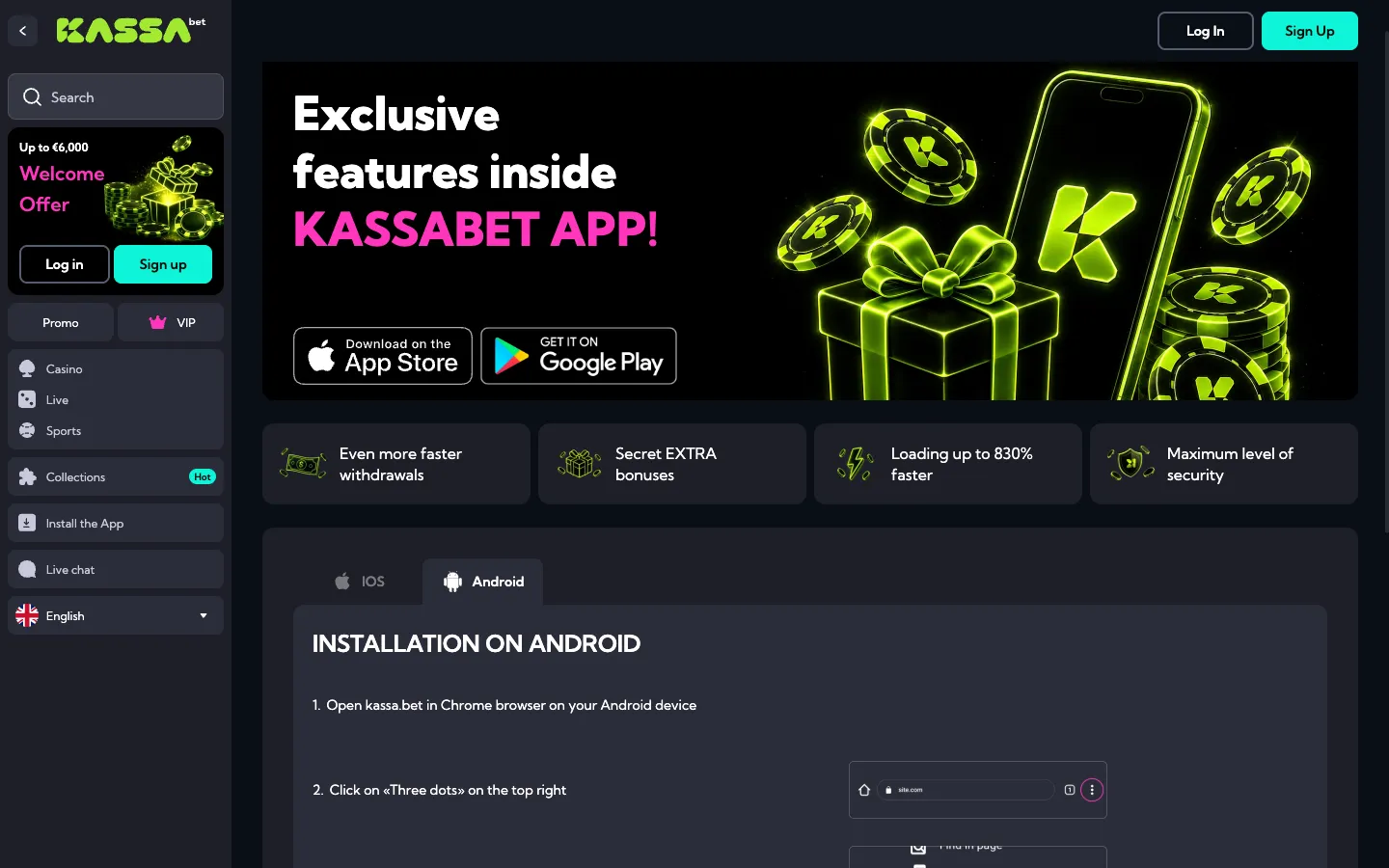
| Android Phones & Tablets | Google Chrome | Tap three-dot menu (top right) → Tap “Add to Home screen” → Confirm “Add” | Under 1 MB (Cache only) | Fingerprint / Face Unlock via Google Password Manager | Yes, including KassaBet Select exclusives |
| Mobile Browser (No Shortcut) | Chrome, Safari, Firefox, Edge | Type domain in address bar → Log in via top-right button | 0 MB | Supported via browser autofill | Yes, identical to desktop |
Once the neon “K” icon sits on your screen, tapping it opens the lobby directly. If you want to claim the welcome package of 100% up to €750 plus 100 free spins on Big Bass Vegas, you open the cashier at the bottom of the screen, select your payment method (such as Apple Pay, Trustly, Visa, Mastercard, Skrill, Neteller, or crypto), and tick the bonus opt-in box before depositing at least €20. There is no promo code field to worry about on the small screen, making it much harder to miss out on your 20 daily spins.
KassaBet mobile casino: iPhone in three taps
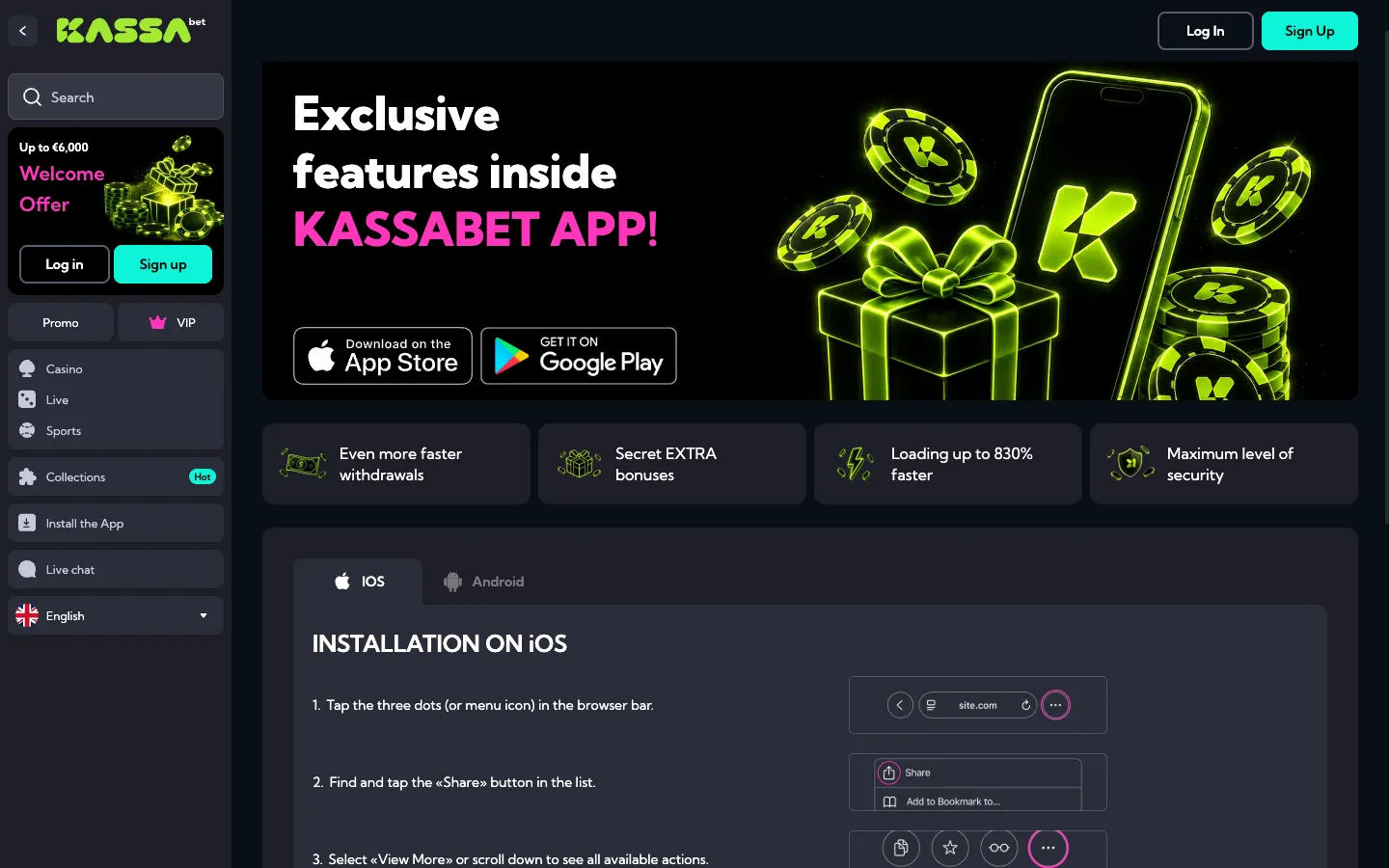
Apple users set up the KassaBet mobile casino shortcut most easily through the native Safari browser, and the steps below are written for Safari. First, open Safari and load the casino homepage. Look at the bottom center of your screen and tap the Share icon, which looks like a square with an upward-pointing arrow. Second, scroll down the action list that slides up until you see the “Add to Home Screen” option with a plus sign next to it, and tap it. Third, a confirmation screen appears showing the neon KassaBet icon and the title; tap “Add” in the top right corner to finish.
The shortcut immediately appears on your iPhone or iPad grid alongside your regular apps. When you launch it, iOS strips away the top URL bar and bottom Safari controls, giving games like Gates of Olympus, Sweet Bonanza, and the exclusive Coin Craze the entire vertical display. For payments, iPhone users get a practical advantage in the cashier: Apple Pay is integrated for instant deposits starting from €20. Because Apple Pay works for deposits only, you will need to verify a bank account via SEPA or Trustly, or use a Visa, Mastercard, Skrill, Neteller, or cryptocurrency wallet when you request a withdrawal from €30 upward. Activating Neon Monday (25% up to €600) or Thursday Spins (50 free spins for a €30 deposit, or 100 free spins for €75) works identically to desktop: tap the cashier icon, tick the checkbox next to the offer, and approve the deposit with Face ID.